


Workplaces are constantly changing, and so are the safety risks within them. Whether the hazard comes from working at height, operating machinery or the movement of people and vehicles, AI-powered monitoring can help.
VISion AI uses intelligent video analytics to monitor your operations, so you can identify the likes of potential hazards in time, unsafe behaviour and compliance issues.
By using AI to enhance CCTV capability, VISion AI provides additional visibility across your site or facility.
Each detection flags a potential safety issue for your team to assess and resolve, enabling more informed decision-making and a better-equipped way of dealing with security on site.
Activity Tracking
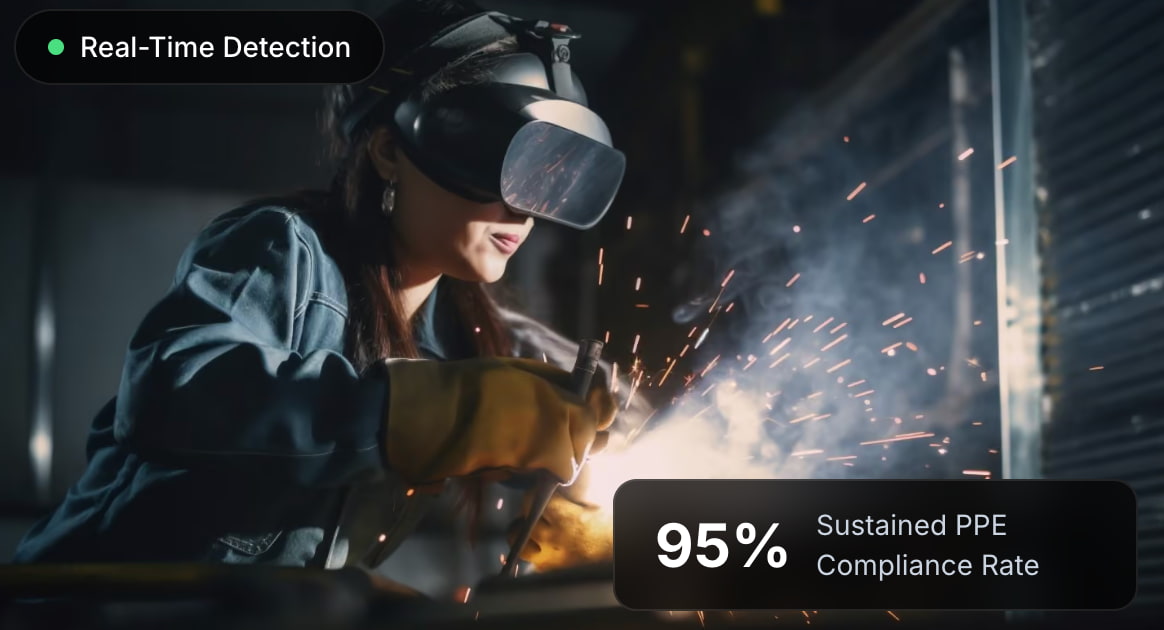
Activity tracking is the monitoring of workforce activity, material handling and tool usage so you can identify potential safety concerns, below are some of the key aspects of our activity tracking technology…
- Person Tracking
- Person tracking records the presence and location of people within designated monitoring zones; this is essentially a continuous foundation for workforce visibility. This underlying tracking layer establishes capture zones and monitoring cadence.
- Material Handling
- Material handling AI identifies workers handling materials through activities such as lifting, carrying, moving, stacking, sorting and packing. Monitoring these activities helps site teams review material handling operations and identify opportunities to improve workplace safety.
- Tool Usage
- This detects workers using tools and mechanical instruments, including hammers, drills, wrenches, callipers and saws. Each detected tool-use event can undergo an EHS safety assessment using an on-edge vision-language model, helping flag potentially unsafe working practices.
Area controls
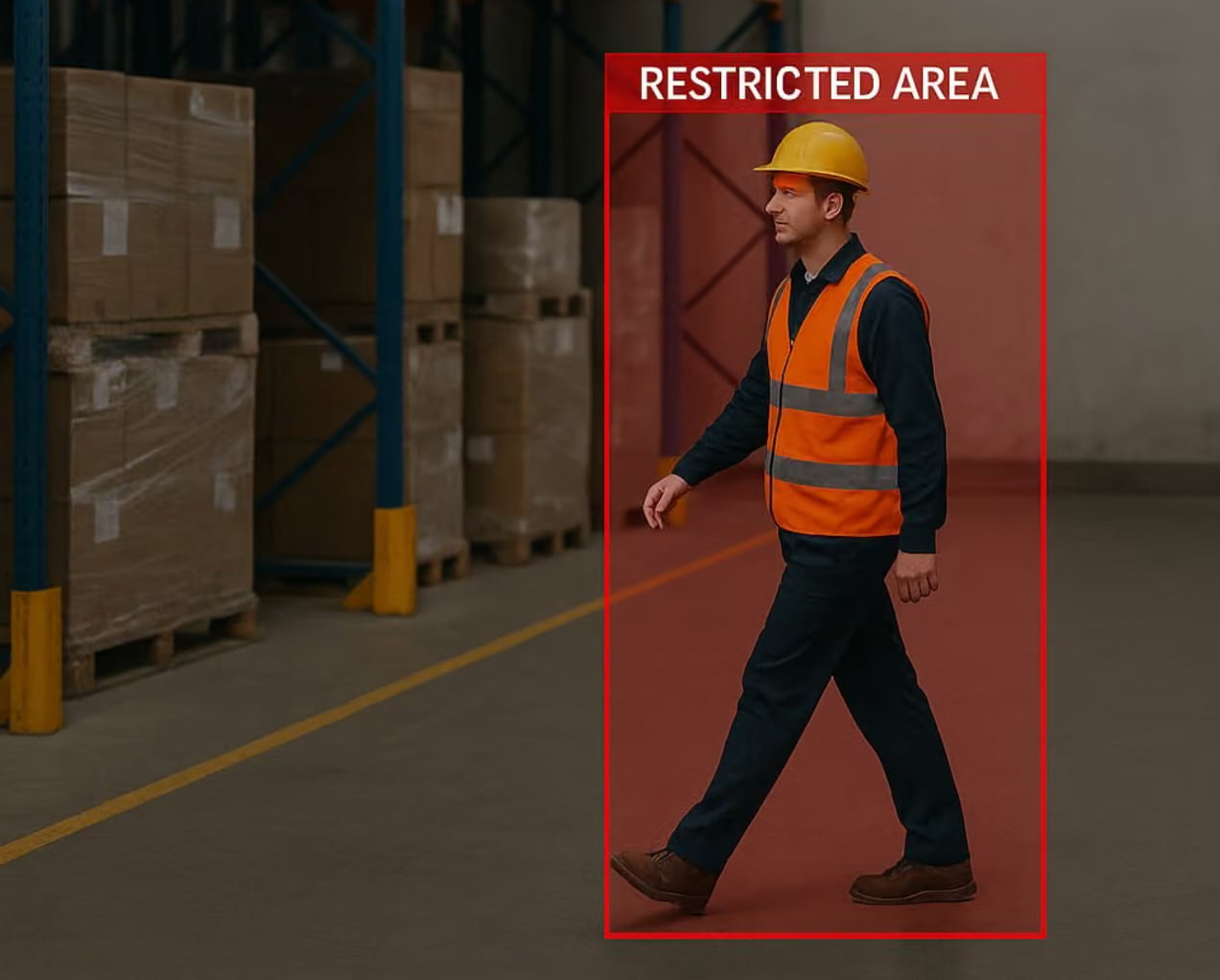
Area controls define safety zones, monitor the restricted areas and manage the movement of the workforce to support safer construction site operations.
- Crane Area
- Flags were raised by people within the designated crane operating zones, which assisted the site teams in identifying the potential for exposure to lifting operations and moving loads.
- Restricted Area
- Identifies people entering designated restricted areas without the appropriate authorisation or clearance. Supports site teams in maintaining access control to hazardous equipment, operational areas and sensitive locations.
- Time Limited Area
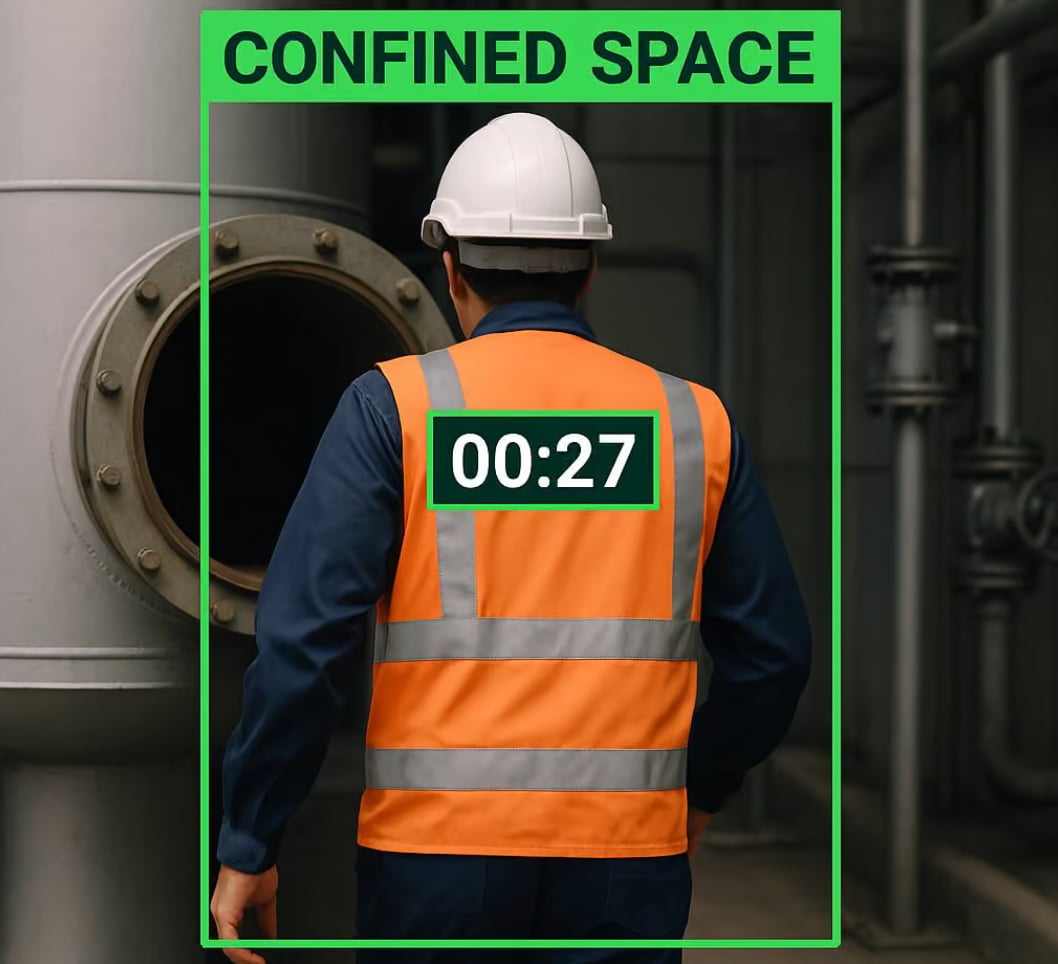
- Monitors how long the workers are in the time limited zones and will trigger an alert if the allowed times are exceeded. This is a way of managing exposure to hazardous environments and enforcing time based safety requirements.
- Station occupancy
- Report periodic occupancy counts within the stations/work zones being monitored, giving you a clear picture of workforce levels and enabling the site teams to manage their operational capacity.
- Min Worker
- Flags when the number of workers within a designated zone falls below the required minimum. This is useful for monitoring areas where there is a requirement for minimum staffing or personnel presence for safe operations.
- Max Worker
- Identifies when the number of workers in a given zone exceeds the configured maximum occupancy. Used to manage overcrowding and ensure working conditions are appropriate.
- Low lighting
- Detects poor lighting conditions within the designated safety zones. Poor visibility obviously increases the risk of accidents so it's important to detect this early in order to maintain a safe working environment.
- Vehicle pathway
- Flags pedestrians within the designated vehicle paths which enables the site teams to pick up any potential conflict between the operatives and the moving plant.
- Pedestrian pathway
- Identifies people moving outside the designated pedestrian walkways. That serves to highlight the issue of people moving in an unsafe manner and helps with the separation of pedestrian and vehicle traffic.
- Unprotected edge
- -at-Flags workers found within six feet of an unprotected roof edge, an open floor hole or an elevated platform without visible fall arrest protection. This enables the site teams to identify potentially hazardous working at height situations prior to any serious injury occurring.
- Confined space entry
- Detects workers entering confined spaces (manholes, vaults, tanks, crawlspaces etc.) without a visible attendant present outside. Supports the monitoring of confined space entry procedures and the associated safety requirements.
- Equipment exclusion zone
- Identifies people on foot entering the swing radius of operating cranes, excavators or large plant machinery, or moving into the path of active site vehicles. Detection also includes drop zones underneath suspended loads to help identify potentially lethal proximity hazards.
- Lone worker detection
- Flags the isolated worker working on a roof, in an excavation or in an elevated area with no one else present. That identifies the situation where you may not have someone on site to assist you in the event of an injury or emergency.
- After hours activity
- Detects work activity outside of approved working hours (including before dawn and in low light). This enables the site team to identify any unauthorised activity and assess whether the appropriate authorisations and safety arrangements are in place.
- Barrier signage integrity
- Identifies any safety barriers (barriers, cones, caution tape, perimeter markers) that have been moved, removed or altered. This enables the team to maintain effective site segregation and to identify any compromised safety controls.
Behavioural Safety
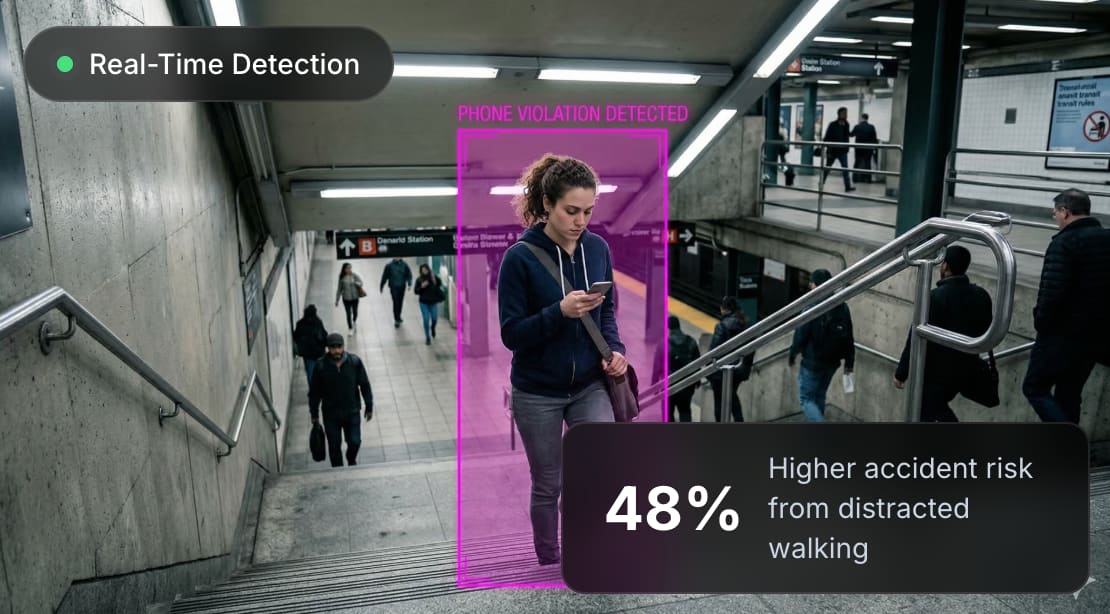
Behavioural safety flags arise when the system identifies any unsafe working practices and behaviours which could increase the likelihood of an accident or injury on site.
- Climbing
- This flag activates as unsafe when it detects climbing practices (e.g. climbing on equipment, structures or unsuitable surfaces). This enables site teams to identify the types of behaviour that could lead to a fall or other work related injury.
- Running
- This detects workers running within defined work areas. Running can increase the risk of collision, slip and fall particularly in the vicinity of machinery.
- Bannister
- This specifically identifies the unsafe use of stair bannisters and handrails to assist site teams in addressing the behaviours which could lead to a loss of balance or a fall on the stairs.
- Stairs
- Similarly, the stairs detection flags unsafe use of staircases, including any behaviour which would compromise safe movement between floors.
- Phone
- Phone detection flags mobile phone use in the areas under monitoring, assisting site teams in identifying potential distractions around plant or pedestrian routes.
- Smoking
- This flags and identifies smoking or vaping in areas where these are not permitted, this helps to enforce site smoking policy and supports fire prevention.
- Harness lanyard
- Flags any workers on an elevated surface or on scaffolding who are missing a harness or who have a harness in place but without a lanyard attached.
- Ladder safety
- Identifies potentially unsafe ladder practices: incorrect ladder angle, workers standing on the top two rungs, ladders not extending at least three feet above the point of access, workers carrying materials without having three points of contact.
Emergency Events
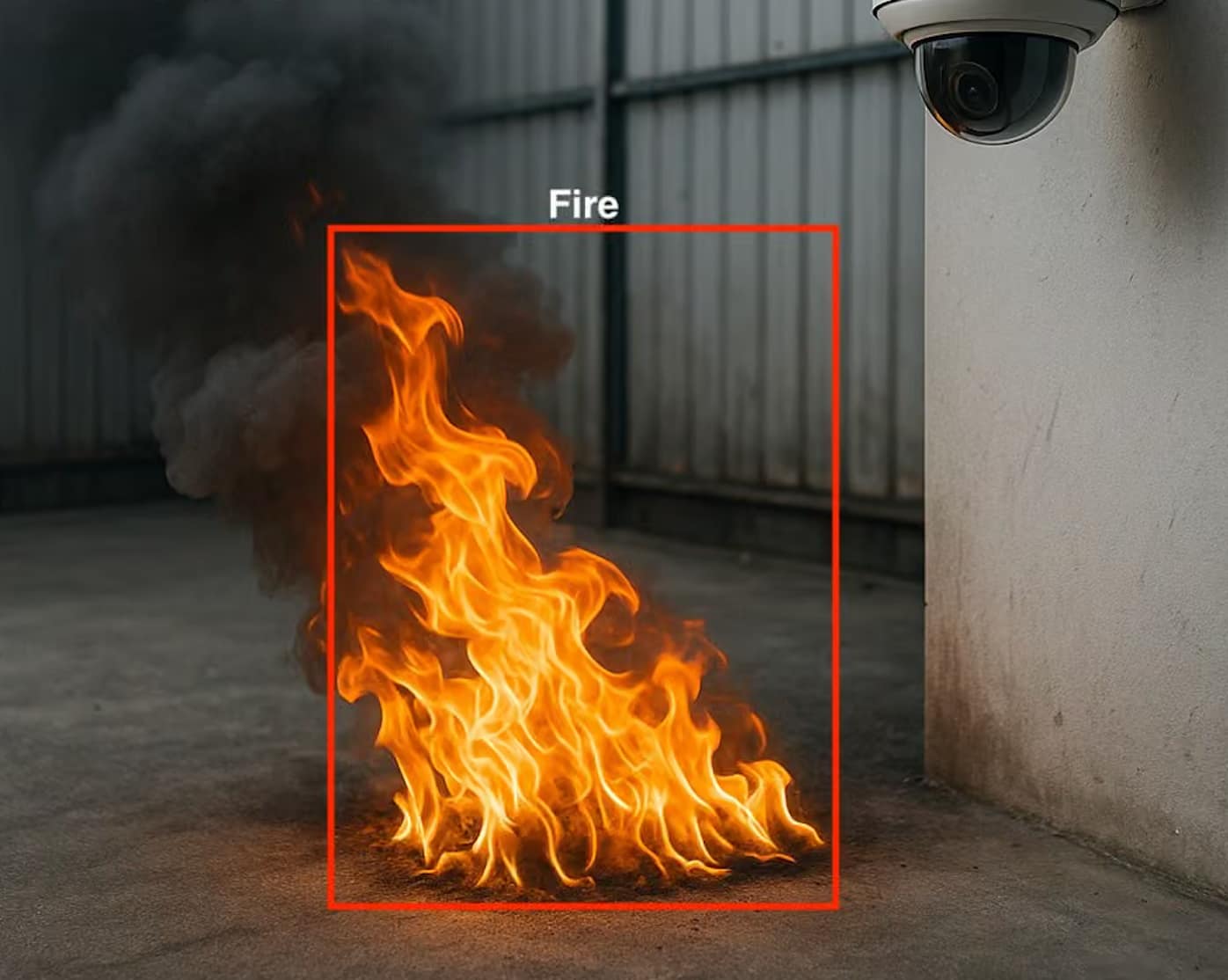
Identify potential emergencies and hazardous conditions as quickly as possible to enable site teams to review incidents and co-ordinate an appropriate response.
- Fire
- Detects visible fire within the areas under its supervision to assist site teams in dealing with fire hazards and to enable a prompt investigation of any incident.
- Smoke
- Flags show smoke within the designated monitoring zones. Early flagging enables a quicker investigation and allows the teams to assess the potential for a fire or other environmental hazard.
- Fall
- Identifies people down on the ground (potentially a fall, potentially injured or in a medical emergency). This enables the site team to prioritise their checks and decide whether they need to get down to attend.
- Spills
- This detects spills on floors and on other monitored surfaces which could present a slip hazard. This enables timely inspection, cleaning and hazard management.
PPE Compliance
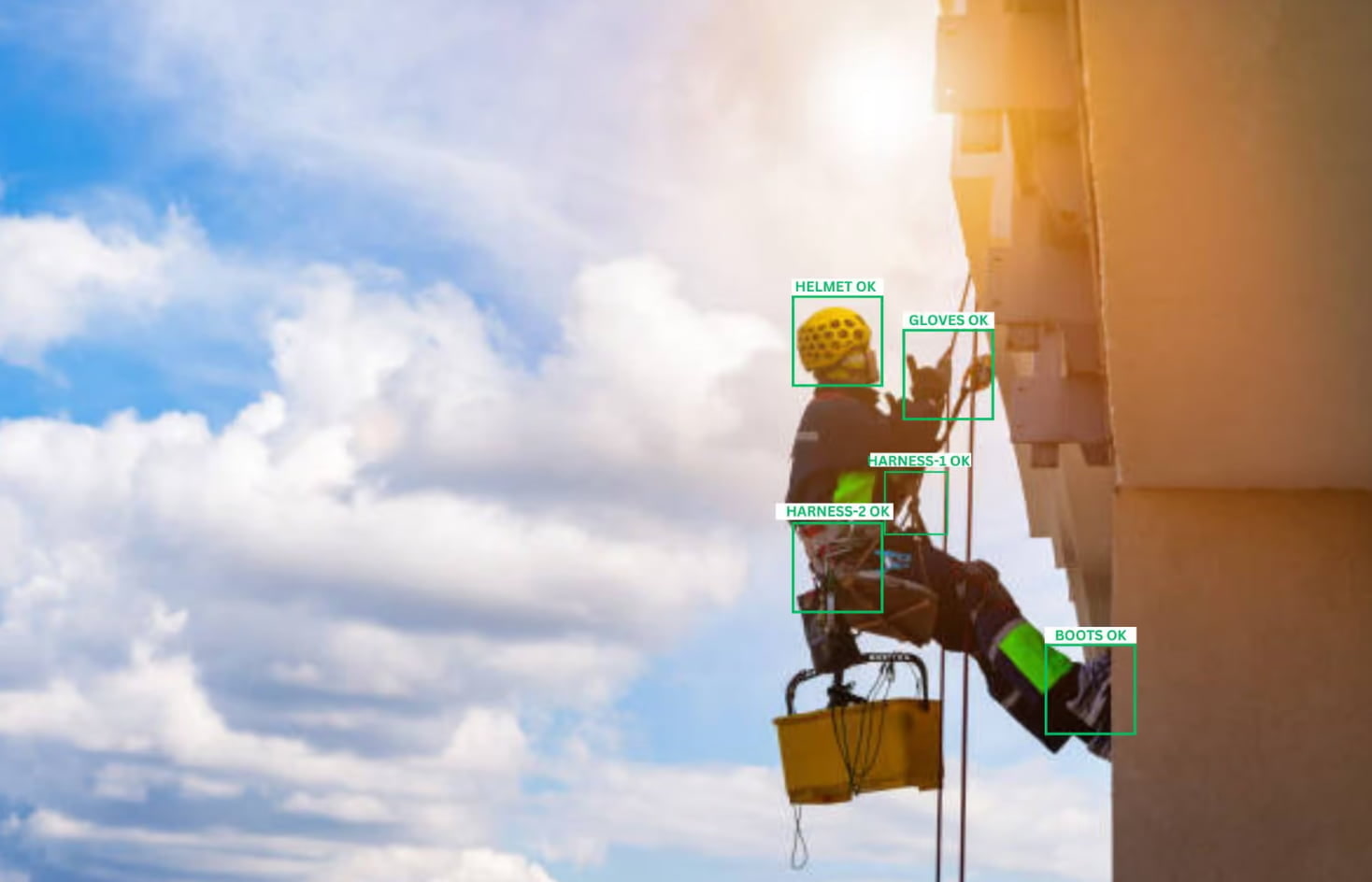
PPE compliance monitors the use of PPE in designated work areas to help the site teams identify any potential non-compliance and ensure the right protective measures are in place, more specifically, the following is determined and flagged where neccessary.
- Mask
- Flags staff identified workers in the designated areas who were not wearing the required mask, in line with the respiratory protection requirements and the site specific PPE policy.
- Apron
- Workers missing the required apron in the designated work zones are identified. This serves to reinforce the requirement for protective clothing in any work activity which could result in exposure to hazardous materials.
- Goggles
- Detects staff who are working without the required safety goggles. Helps site teams to identify where eye protection may be lacking during work activities.
- Hairnet
- This flags if hairnets are missing in the areas where they are required, keeping with the hygiene standards and PPE requirements.
- Cap
- This identifies workers who are not wearing the required protective cap in the designated areas, thus enabling the site teams to monitor compliance with head protection requirements.
- Boots
- Detects operatives without the required safety boots and thus helps to reduce the risk of foot injury from falling materials, sharp objects and uneven surfaces.
- Gloves
- This flags any worker who's not wearing the required gloves in the designated areas, a simple way of reinforcing the requirement for hand protection when you're dealing with materials, tools and potentially hazardous substances.
- Vest
- This flags any workers who are not wearing the required high-visibility safety vest around plant, vehicles and in active work zones.
- Helmet
- This detects workers in a designated area who are not wearing the required safety helmet or hard hat, essential wherever there is a risk of head injury.
- Face shield
- Flags workers who are missing the required face shield in the designated areas (for protection against flying debris, splashes and the like).
- Coverall suit
- Identifies the workforce who are not wearing the required protective coverall suits. This helps the site teams to monitor the requirement for PPE on a particular activity.
- Earmuff
- Detects missing earmuffs in areas where hearing protection is required and helps the site teams to reinforce hearing protection against hazardous noise exposure.
- Sleeves
- Flags the worker who is not wearing the required protective sleeve in the designated areas, to support compliance with the clothing requirement for work which could result in arm injury or exposure.
- Safety harness
- Identifies the workforce who are missing the required safety harness within the designated working at height zones. This enables the site teams to review their fall protection compliance and look at the potential hazards.
Security compliance
Security compliance detection monitors access, site security requirements and operational controls to identify potential security issues in the working environment. In particular, this will detect and flag...
- Bag compliance
- Detects bags in the designated restricted areas to assist site teams with monitoring access and finding breaches of site security policy.
- Uniform compliance
- Identifies staff who are working in a designated area without the required uniform. That way the site team can monitor compliance with the identification policy and ensure it is being adhered to.
- Door open detected
- Flags doors that stay open past a configured length of time to assist site teams in monitoring access points, spotting potential security breaches and maintaining the right level of site control.
Vehicle Controls
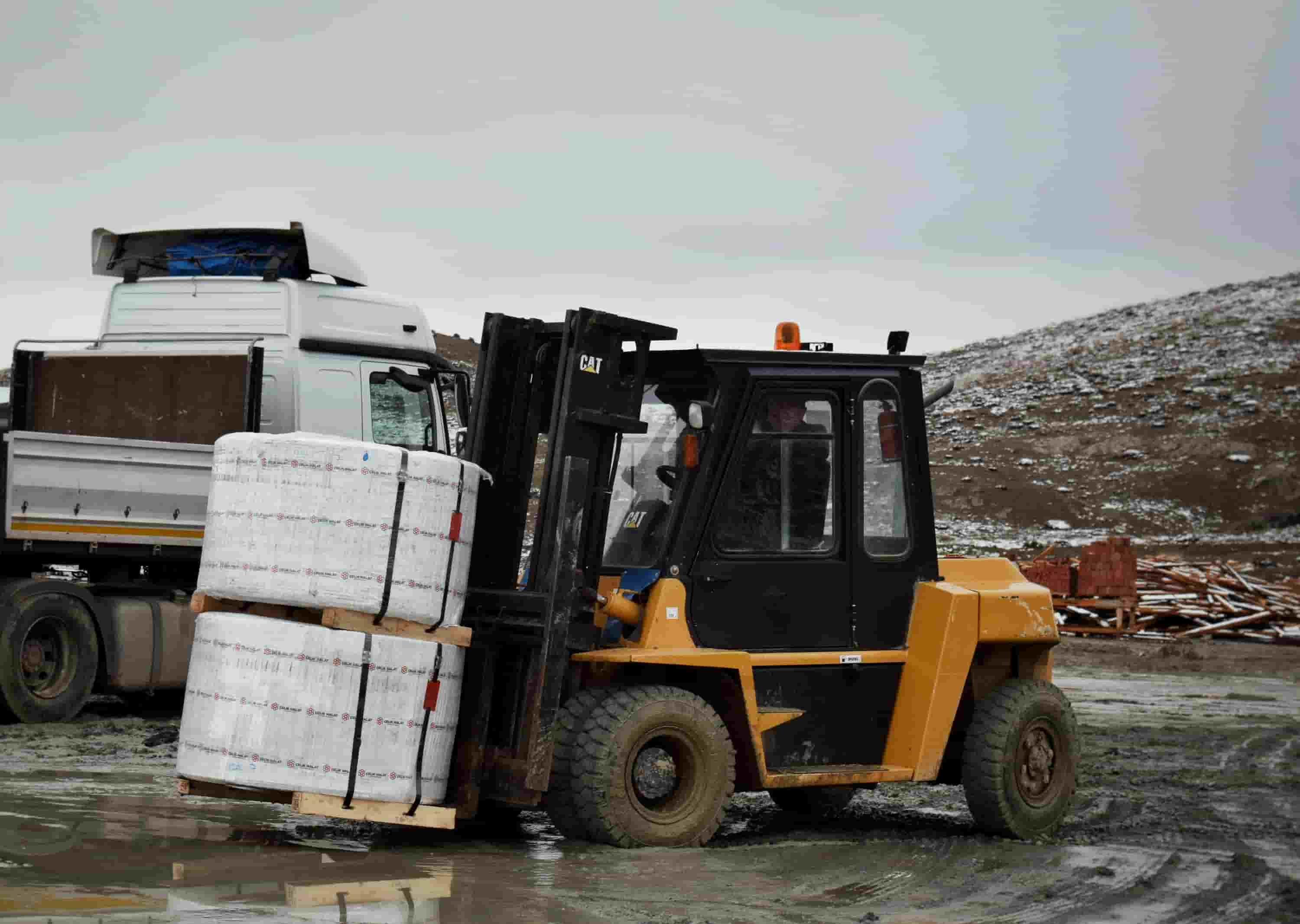
Our vehicle controls monitor vehicle movements, pedestrian activity and traffic compliance to help reduce near misses and improve the management of traffic on the site.
- Person vehicle interaction
- Detects potentially hazardous interactions between people and vehicles (i.e. near misses) where a pedestrian and a moving vehicle come into close proximity. This enables site teams to review the traffic risk and identify opportunities to improve separation.
- Vehicle interaction
- This flags potentially hazardous vehicle interactions including close proximity events which may indicate a near miss.
- Forklift speed limit
- This detects and identifies forklifts which are exceeding the configured speed limits within the monitored areas; this in turn enables the site teams to reinforce safe driving practices.
- Heatmap
- Generates visual heat maps showing the density and distribution of people and forklifts across the areas under review. This is of value in terms of traffic planning and understanding of movement patterns on site.
- Vehicle operation zones
- Flags any vehicle detected outside of its operational zones, which helps the site teams to monitor vehicle movement restrictions and to maintain the required separation.
- Zebra crossing
- Identifies vehicles that fail to give way at the designated zebra crossings when pedestrians are crossing, making for safer pedestrian movement.
- Stop sign
- Detects vehicles which fail to stop at the designated stop sign boards for the required period. Configurable approach zones enable site teams to define where the vehicle stopping behaviour is actually measured and monitored.
Supporting workplace safety with VISion AI
Greater site visibility & safety decisions
VISion AI gives your teams additional visibility across your operations, using intelligent video analytics to spot potential hazards, unsafe behaviours and compliance issues.
By combining AI-enabled monitoring with their existing CCTV, VIS Systems enables site teams to go beyond the traditional model of reactive safety inspections to a more proactive approach to hazard identification and operational awareness.
AI detections are there to flag up potential safety issues, not to supplant the judgement of your managers, supervisors or EHS team.
They remain responsible for looking at the detections, understanding the context and then deciding what action is required.
Proof on Site: See VISion AI in Action
How VISion AI can help you achieve your safety objectives is demonstrated in a practical example of intelligent video analytics in a real site environment.
From PPE compliance and area monitoring through to vehicle safety and emergency detection, we can help you to see how an AI powered monitoring solution fits into your existing CCTV and site safety regime.
Get a quote
Our friendly sales team are available to answer any of your queries and to help you with getting a quote
Get a quote- Related CCTV Solutions

- Our Projects
We have a range of smart products to support all construction and infrastructure sectors
Partington Leisure Centre Redevelopment
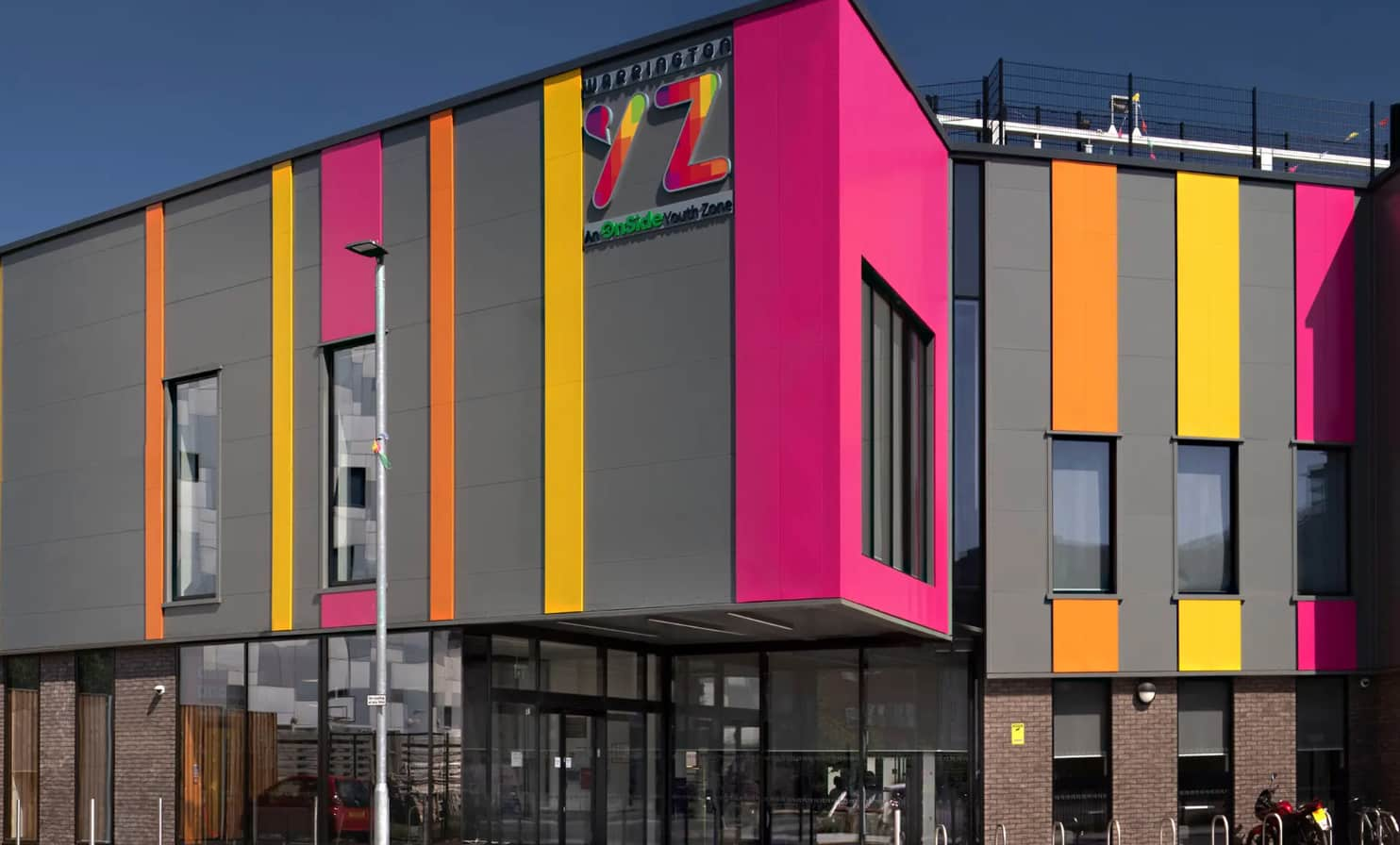
Crewe Youth Zone
A selection of our partners



Our partners


Insights



Our Accreditations



VIS Systems Limited currently holds SIA Approved Contractor Scheme (ACS) status for the provision of Security Guarding.
We’ve Supported
We are proud to continue our support of a variety of grass roots football and charitable organisations


